How much VRAM for local LLM work in 2026: a practical sizing guide
A practical 2026 sizing guide: add up weights, KV cache and overhead, check real GGUF sizes for current open models, and see what fits on 16GB to 512GB.
Key takeaways
- VRAM needed is roughly weights plus KV cache plus 2 to 3GB, with weights at about 2 bytes per parameter at FP16, 1.06 at Q8_0 and 0.6 at Q4_K_M.
- The KV cache grows with every token: Llama 3.3 70B needs about 43GB of FP16 cache at 128K context, more than its 4-bit weights.
- Mixture-of-experts models need memory for all their parameters but generate at the speed of their active ones.
- Memory bandwidth sets generation speed: an 896GB/s RTX 5070 Ti runs gpt-oss-20b about 70 percent faster than a 448GB/s RTX 5060 Ti.
- 24 to 32GB suits 2026's 27B to 35B models, while 96 to 128GB is the entry point for 120B-class MoE models.
For most people running local LLMs in 2026, 24 to 32GB of VRAM is the sweet spot: enough for the best dense 27B to 31B models at 4-bit with a useful context window. 16GB covers 20B-class mixture-of-experts models, 48GB runs a 70B dense model at 4-bit with modest context, and 96 to 128GB is where 120B-class MoE models start to fit. For any specific model the answer is weights plus KV cache plus a few gigabytes of overhead, and you can work it out in a minute.
Step one: size the weights
The rule of thumb is parameters × bytes per weight. At FP16 or BF16 every weight takes 2 bytes, so a 70B model needs about 140GB just to load. Quantization shrinks that: Q8_0 lands just above 1 byte per weight and Q4_K_M near 0.6, not the theoretical 0.5, because GGUF files store scaling data for each block of weights and keep some tensors at higher precision.
Real files confirm it. Unsloth's GGUF builds of Llama 3.3 70B on Hugging Face are 141.1GB at BF16, 75.0GB at Q8_0 and 42.5GB at Q4_K_M, which works out to 2.0, 1.06 and 0.60 bytes per parameter. Qwen3.8-27B follows the same pattern at 29.1GB for Q8_0 and 16.5GB for Q4_K_M. Some models ship already quantized: OpenAI post-trained gpt-oss with MXFP4 expert weights, so the 120B GGUF is 63.4GB as released.
Q4_K_M is where we'd start. Going up a step costs real memory: for Gemma 4 31B the Q4_K_M, Q5_K_M and Q6_K files are 18.3, 21.7 and 25.2GB, so Q5 adds about 20 percent and Q6 about 40.
Step two: the KV cache, and why long context eats memory
Every token in the conversation leaves keys and values behind in each attention layer, and those are kept in memory so the model does not recompute them. NVIDIA's inference guide gives the size per token as 2 × layers × (heads × head dimension) × bytes per value; for current models with grouped-query attention, use the number of KV heads. The cache grows linearly with context, and quantizing the weights does nothing to it.
Llama 3.3 70B has 80 layers, 8 KV heads and a head dimension of 128, so at FP16 each token costs about 0.33MB. That is 10.7GB at 32K tokens and 43GB at the full 128K context, more than the 42.5GB of Q4 weights. Qwen3.8-27B is far cheaper: only 16 of its 64 layers use full attention (the rest are Gated DeltaNet linear-attention layers), with 4 KV heads, so it needs about 0.066MB per token, or 8.6GB at 128K. Architecture matters as much as size. llama.cpp's gpt-oss guide lists just 0.3GB of cache per 8,192 tokens for gpt-oss-120b, which needs 64.0GB in total at 8K context and 68.5GB at 131K.
Two practical points follow. First, your runtime may choose the context for you. Ollama sets 4K context below 24GiB of VRAM, 32K between 24 and 48GiB and 256K from 48GiB up, while llama.cpp's server loads the model's own context length and its --fit option trims unset settings to leave a 1GiB margin per GPU. Run ollama ps or read the llama.cpp log to see what you actually got. Second, you can compress the cache: with Flash Attention on, Ollama's q8_0 KV cache uses about half the memory of f16 with very little quality loss, and q4_0 about a quarter. The same FAQ warns that parallel requests multiply the cache by the number of slots.
Step three: overhead you can't skip
The runtime also needs compute buffers and its own GPU context. In the gpt-oss table above, compute buffers alone take 2.7GB, and a GPU that also drives your monitors loses more to the desktop. GPU memory is counted in binary gigabytes, so a 24GB card holds about 25.8GB in the decimal units Hugging Face uses for file sizes. On unified-memory machines the operating system shares the pool: llama.cpp's guide suggests staying under about 70 percent of a Mac's total memory unless you raise the GPU limit. Our budget formula is weights + KV cache at your target context + 2 to 3GB, then about 10 percent spare.
Dense vs mixture-of-experts: total vs active parameters
Mixture-of-experts models split their feed-forward layers into many experts and send each token through a few of them. That changes speed, not capacity. Google's Gemma 4 documentation puts it plainly for the 26B A4B: about 4 billion parameters are active per token, but all 26 billion must be loaded, so it needs memory like a dense 26B model.
Memory follows total parameters; generation speed follows active ones. On a DGX Spark, llama.cpp's benchmarks show gpt-oss-120b (117B total, 5.1B active) generating 58.7 tokens per second, twice the 29.4 tokens per second of a dense 7B model at Q8_0 on the same machine. That is why MoE models are the natural match for large, lower-bandwidth unified-memory boxes.
Memory needs for popular 2026 open models
File sizes below come from the Unsloth and ggml-org GGUF repositories on Hugging Face as of October 2026, in decimal GB. Q4 means Q4_K_M (Unsloth's dynamic UD-Q4_K_M for the Gemma 26B, Qwen3.6 and Qwen3.8 builds). Add KV cache for your context and 2 to 3GB of overhead.
| Model | Type (total / active) | Q4 file | Q8 file | Comfortable fit at Q4 |
|---|---|---|---|---|
| gpt-oss-20b | MoE, 21B / 3.6B | 12.1GB (MXFP4) | n/a | 16GB card |
| Gemma 4 26B A4B | MoE, 26B / 4B | 16.9GB | 26.9GB | 24GB card |
| Qwen3.8-27B | Dense, 27B | 16.5GB | 29.1GB | 24GB card |
| Gemma 4 31B | Dense, 31B | 18.3GB | 32.6GB | 24GB card |
| Qwen3.6-35B-A3B | MoE, 35B / 3B | 22.1GB | 36.9GB | 32GB card (24GB is tight) |
| Llama 3.3 70B | Dense, 70B | 42.5GB | 75.0GB | 48GB, modest context |
| gpt-oss-120b | MoE, 117B / 5.1B | 63.4GB (MXFP4) | n/a | 96GB card or 128GB unified |
| Qwen3.5-122B-A10B | MoE, 122B / 10B | 76.5GB | 129.9GB | 96GB card or 128GB unified |
Llama 3.3 70B dates from late 2024, but Meta has not posted a newer open dense model of that size on Hugging Face since, so it remains the usual 70B reference. Mistral Small 4 (119B total, 6.5B active) sits in the same class at 73.8GB for UD-Q4_K_M. DeepSeek-V4-Flash (284B total, 13B active) ships with FP4 experts and FP8 elsewhere, so even Unsloth's 4-bit build is 155.1GB; for 128GB machines, Framework's September 2026 local AI guide recommends a 90.9GB 2-bit build instead. The 1.6T-parameter DeepSeek-V4-Pro needs more memory than any desktop in this guide.
Memory bandwidth decides how fast it feels
Capacity decides whether a model runs. Bandwidth decides how quickly it answers, because generating each token means reading every active weight once, and NVIDIA's guide describes this decode phase as memory-bound. A quick ceiling is bandwidth ÷ bytes read per token. For the 16.5GB Qwen3.8-27B Q4 file that is about 108 tokens per second on an RTX 5090 (1,792GB/s) and about 16 on a 256 to 273GB/s unified-memory box. Real results land below the ceiling: llama.cpp's DGX Spark benchmarks show the 8.1GB dense 7B model at 29.4 tokens per second against a ceiling of about 34.
Measured results follow bandwidth. In the gpt-oss-20b runs from llama.cpp's guide, an RTX 5060 Ti 16GB (448GB/s) generated about 112 tokens per second, an RTX 5070 Ti (896GB/s) about 189, an RTX 3090 (936GB/s) about 162 and an RTX 5090 about 282. The 3090 trailing the 5070 Ti is a reminder that bandwidth sets the ceiling, not the exact result. Speed also drops as context fills: on the Spark, gpt-oss-120b falls from 58.7 tokens per second on an empty context to 42.8 at 32K tokens. Prompt processing, the step that reads your input before the first token appears, is compute-bound, so it scales with GPU compute rather than bandwidth.
Hardware tiers: what fits where
Bandwidth figures are from the manufacturers' spec pages: NVIDIA's GeForce comparison, the RTX PRO and DGX Spark pages, AMD, Intel and Apple, except the RTX 3090, which comes from TechPowerUp's GPU database. Prices are ours at the time of writing.
| Tier | Example hardware | Bandwidth | Good fit |
|---|---|---|---|
| 16GB | RTX 5060 Ti 16GB, RTX 5070 Ti | 448 / 896 GB/s | gpt-oss-20b, small MoE models |
| 24GB | RTX 3090 (used), Arc Pro B60 | 936 / 456 GB/s | Dense 27B to 31B at Q4 |
| 32GB | RTX 5090, Radeon AI PRO R9700 | 1,792 / 640 GB/s | 35B MoE at Q4, 27B to 31B at Q5 or Q6 |
| 48GB | 2x 24GB cards, RTX PRO 5000 | 936 per 3090 / 1,344 GB/s | 70B at Q4, 27B at Q8 |
| 96GB | RTX PRO 6000 Blackwell | 1,792 GB/s | 120B-class MoE, 70B at Q8 |
| 128GB unified | Ryzen AI Max+ 395 (Strix Halo), DGX Spark | 256 / 273 GB/s | 120B-class MoE at Q4 |
| 96 to 512GB unified | Mac Studio M5 Ultra | 1.2 TB/s | 120B MoE at Q8 and 284B MoE at 4-bit (256GB or more) |
16GB: 20B-class MoE models
gpt-oss-20b fits fully, though llama.cpp's guide caps it at 32K context on a 16GB card (15.5GB in total). Dense 27B to 31B models at Q4_K_M (16.5 to 18.3GB) do not fit once you add cache and buffers, so you would need a 3-bit quant or partial offload. The RTX 5060 Ti 16GB is $789 at the time of writing; the RTX 5070 Ti costs $1,129 but generates about 70 percent faster on gpt-oss-20b thanks to double the bandwidth.
24GB: the dense 27B to 31B sweet spot
Qwen3.8-27B at Q4 plus 32K of cache is about 18.6GB before overhead, which leaves room on a 24GB card; Gemma 4 31B fits too. A used RTX 3090 (936GB/s) remains the fast option. Intel's Arc Pro B60 gives you a new 24GB card at 200W and $799, but with about half the 3090's bandwidth, so expect noticeably slower generation.
32GB: room for context or a higher quant
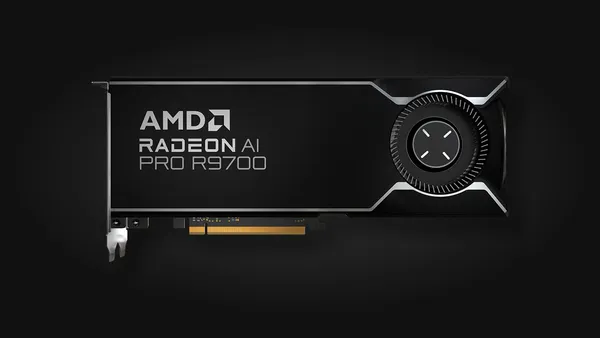
32GB runs Qwen3.6-35B-A3B at Q4 with long context, or the dense models at Q5 and Q6. The RTX 5090 is the speed pick at 1,792GB/s. The Radeon AI PRO R9700 has 640GB/s and a 300W board power, and costs $1,599 against $5,499 for the 5090 at the time of writing. If you are comfortable with AMD's software on Linux and care more about fitting models than raw speed, it is the better value.
48GB: two 24GB cards or one RTX PRO 5000
This is the first tier for Llama 3.3 70B at Q4_K_M. After the 42.5GB of weights and buffers, about 6GB remains for cache, which is roughly 18K tokens at FP16 or twice that with a q8_0 cache. Our CG AI Duo 48 with two RTX 3090s is $3,599; the single-card RTX PRO 5000 (48GB ECC, 1,344GB/s, 300W) is $7,399 and avoids splitting altogether.
96GB: one card for 120B-class models
The RTX PRO 6000 Blackwell has 96GB of ECC GDDR7 at 1,792GB/s and draws up to 600W. It holds gpt-oss-120b with its full 131K context (68.5GB), Qwen3.5-122B-A10B or Mistral Small 4 at Q4, or Llama 3.3 70B at Q8 with tens of thousands of tokens of cache. Our CG AI Pro 96 workstation is built around it at $21,499.
Unified memory: capacity first, speed second
128GB Strix Halo boxes such as our CG AI Halo 128 ($3,799) run at 256GB/s, and the DGX Spark 128GB ($6,950) adds CUDA at 273GB/s. Both hold 120B-class MoE models with room for context. Dense models are another matter: a 42.5GB 70B file has a ceiling of about 6 tokens per second at those bandwidths. The Mac Studio with M5 Ultra starts at 96GB, can be configured with 256GB or 512GB and reaches 1.2TB/s, which makes it the only machine in our table that holds the 155.1GB 4-bit DeepSeek-V4-Flash in one memory pool.
Splitting across GPUs and offloading to system RAM
llama.cpp splits layers and KV cache across GPUs by default (--split-mode layer), and --tensor-split sets the proportions. Ollama keeps a model on one GPU when it fits and spreads it across all of them when it doesn't. Layer splitting adds capacity, not speed: the cards take turns, so two 3090s behave roughly like one 48GB card with a 3090's bandwidth.
When a model doesn't fit at all, both tools can keep part of it in system RAM, and that part runs at system-memory speed. Dual-channel DDR5-6000 moves about 96GB/s (6,000 MT/s × 8 bytes × 2 channels), a tenth of an RTX 3090. Dense models suffer most. MoE models cope better because llama.cpp's --n-cpu-moe keeps expert weights in RAM while attention and cache stay on the GPU: the gpt-oss guide reports about 30 tokens per second for gpt-oss-120b on an RTX 5090 that way, against 58.7 on a DGX Spark that holds the whole model. Watch for silent spills on Windows, where the driver can overcommit VRAM and swap to RAM; ollama ps shows the CPU/GPU split.
What we'd buy
- Trying local AI on a budget: an RTX 5060 Ti 16GB for gpt-oss-20b and small MoE models.
- Daily coding and chat with 27B to 35B models: 24 to 32GB. The R9700 for value on Linux, the RTX 5090 if speed matters most.
- Dense 70B: the CG AI Duo 48, but check first whether a current 27B to 35B model does the job, since the 2026 releases in our table are either that size or large MoE.
- 120B-class MoE on a budget: the CG AI Halo 128, or the DGX Spark if you want CUDA.
- Big models at full speed: the CG AI Pro 96.
Before you order, add weights, cache at your real context and 3GB, then leave 10 percent spare. Our CG AI workstations in the AI workstation collection can ship with Ubuntu, Ollama, llama.cpp and Open WebUI installed, and you can pay with Bitcoin, Monero, USDT and other coins, more than 20 in total.
Questions and answers
Is 16GB of VRAM enough to run a local LLM?
Yes, for 20B-class mixture-of-experts models: llama.cpp runs gpt-oss-20b fully on a 16GB card with up to 32K context. Dense 27B to 31B models need a 24GB card at 4-bit, or a 3-bit quant plus offloading on 16GB.
How much VRAM do I need for a 70B model?
Llama 3.3 70B is a 42.5GB file at Q4_K_M, so 48GB is the practical minimum and leaves room for roughly 18K tokens of FP16 context. At Q8_0 (75GB) you need a 96GB card.
Can I use system RAM instead of VRAM for an LLM?
Yes. llama.cpp and Ollama can keep part of a model in system RAM, but that part runs at system-memory bandwidth, about 96GB/s for dual-channel DDR5-6000. MoE models cope best: gpt-oss-120b reaches about 30 tokens per second on an RTX 5090 with its experts in RAM.
Why does a longer context window need more VRAM?
Every token adds keys and values to the KV cache in each attention layer. For Llama 3.3 70B that is about 0.33MB per token at FP16, so 128K tokens take about 43GB; a q8_0 cache roughly halves that.
Is a Mac Studio or DGX Spark better than a GPU for local LLMs?
They hold bigger models, 128GB on a DGX Spark and up to 512GB on a Mac Studio with M5 Ultra, but generate more slowly than a high-end GPU on models that fit both. A DGX Spark has 273GB/s of memory bandwidth against 1,792GB/s on an RTX 5090, so they suit large MoE models best.
Sources
- Qwen3.8-27B model cardQwen (Hugging Face)
- Mastering LLM Techniques: Inference OptimizationNVIDIA Technical Blog
- guide: running gpt-oss with llama.cppggml-org/llama.cpp (GitHub)
- Context lengthOllama documentation
- FAQOllama documentation
- Gemma 4 model overviewGoogle AI for Developers
- llama.cpp performance on NVIDIA DGX Spark (benches/dgx-spark)ggml-org/llama.cpp (GitHub)
- Compare GeForce graphics cardsNVIDIA
- NVIDIA DGX SparkNVIDIA
- Mac Studio technical specificationsApple
- Choosing a Framework Desktop for Local AI: 32GB, 64GB, and 128GBFramework
- NVIDIA RTX PRO 6000 Blackwell Workstation EditionNVIDIA
- NVIDIA RTX PRO 5000 BlackwellNVIDIA
- AMD Radeon AI PRO R9700 specificationsAMD
- AMD Ryzen AI Max+ 395 specificationsAMD
- Intel Arc Pro B60 Graphics specificationsIntel
- NVIDIA GeForce RTX 3090 specsTechPowerUp GPU Database
- openai/gpt-oss-120b model cardOpenAI (Hugging Face)
- Qwen3.5-122B-A10B model cardQwen (Hugging Face)
- Qwen3.6-35B-A3B model card and configQwen (Hugging Face)
- Mistral Small 4 119B A6B model cardMistral AI (Hugging Face)
- DeepSeek-V4-Pro model card (DeepSeek-V4 series)DeepSeek (Hugging Face)
- Llama 3.3 70B Instruct configurationUnsloth (Hugging Face)
- Meta Llama models on Hugging FaceMeta (Hugging Face)
- llama.cpp server README (CLI options)ggml-org/llama.cpp (GitHub)
- Llama-3.3-70B-Instruct-GGUFUnsloth (Hugging Face)
- Qwen3.8-27B-GGUFUnsloth (Hugging Face)
- Qwen3.6-35B-A3B-GGUFUnsloth (Hugging Face)
- Qwen3.5-122B-A10B-GGUFUnsloth (Hugging Face)
- gemma-4-31B-it-GGUFUnsloth (Hugging Face)
- gemma-4-26B-A4B-it-GGUFUnsloth (Hugging Face)
- gpt-oss-20b-GGUFggml-org (Hugging Face)
- gpt-oss-120b-GGUFggml-org (Hugging Face)
- Mistral-Small-4-119B-2603-GGUFUnsloth (Hugging Face)
- DeepSeek-V4-Flash-0731-GGUFUnsloth (Hugging Face)
Prices, fees and specifications were checked on October 5, 2026 and change over time. Product prices are ours at the time of writing.