The 5 best OLED gaming monitors in 2026 (tested picks)
The ASUS ROG Swift PG32UCDM Gen3, a 32-inch 4K 240Hz QD-OLED, is the best OLED gaming monitor for most people in 2026. Competitive players should pick the 540Hz ASUS PG27AQWP-W, and the Alienware AW2726DM is the value choice at about $350.

Key takeaways
- RTINGS named the ASUS ROG Swift PG32UCDM Gen3, a 32-inch 4K 240Hz QD-OLED, the best OLED monitor it had tested as of October 2026.
- TFTCentral measured the ASUS ROG Swift PG27AQWP-W at 1,801 nits in a 1% HDR window, above its advertised 1,500 nits.
- The Alienware AW2726DM brings a 27-inch 1440p 240Hz QD-OLED to $349.99, but Tom's Hardware measured only about 204 nits SDR and 400 nits HDR.
- In an RTINGS test simulating about 10 years of use with a 24/7 news channel at maximum brightness, all three OLED monitors tested showed burn-in after 24 months.
- Even an RTX 5090 averages 110.8 fps at native 4K ultra in Tom's Hardware testing, so 4K 240Hz in AAA games needs upscaling and frame generation.
The best OLED gaming monitor for most people in November 2026 is the ASUS ROG Swift PG32UCDM Gen3, a 32-inch 4K 240Hz QD-OLED that RTINGS names the best OLED monitor it has tested. Competitive players should look at the ASUS ROG Swift PG27AQWP-W, a 540Hz tandem WOLED. If you are on a budget, the Alienware AW2726DM gives you a real QD-OLED panel for about $350. Every pick below carries a 3-year warranty that covers burn-in.
This list is built on measured results from RTINGS, Tom's Hardware, TFTCentral, Hardware Unboxed and KitGuru, not on spec sheets. Prices are US street prices at the time of writing, with source and date.
What is the best OLED gaming monitor in 2026?
No single monitor wins for everyone. 4K is sharper on the desktop and in slower games, 1440p at 480Hz to 540Hz is clearer in fast shooters, and an ultrawide trades height for immersion.
| Pick | Best for | Panel | Resolution and refresh | US price (source, date) |
|---|---|---|---|---|
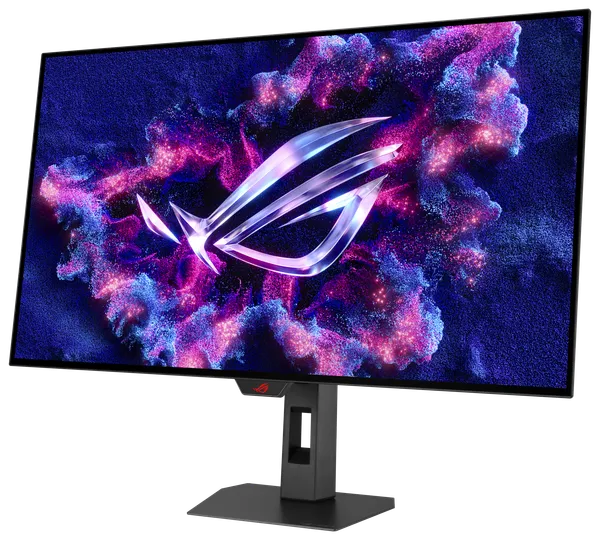
| ASUS ROG Swift PG32UCDM Gen3 | Best overall, 32-inch 4K | QD-OLED (4th gen) with BlackShield film | 3840 x 2160, 240Hz | $1,299 (Amazon, via Tom's Hardware, checked Nov 9, 2026) |
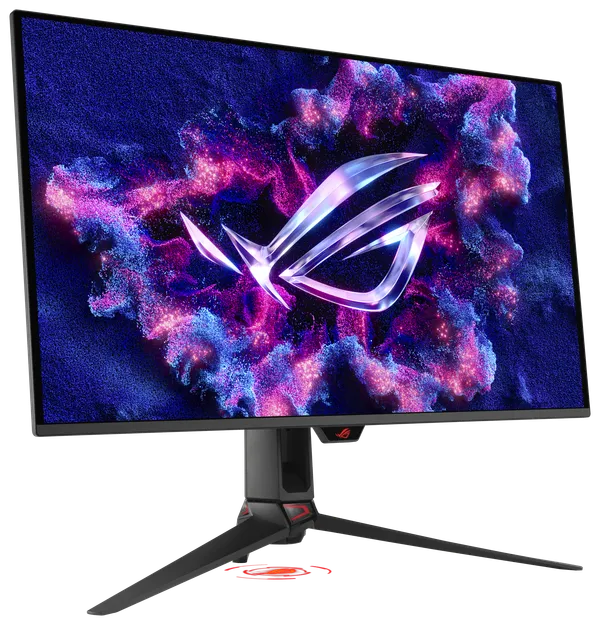
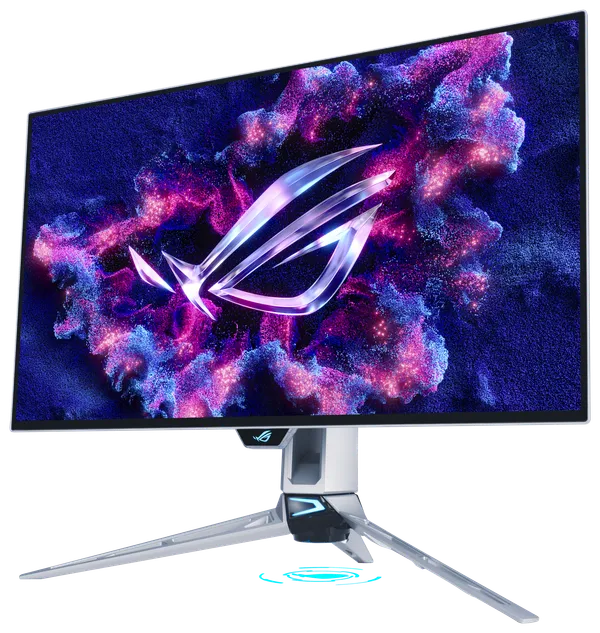
| ASUS ROG Swift PG27AQWP-W | Competitive esports | 4th gen tandem WOLED, RGWB | 2560 x 1440, 540Hz (720Hz at 720p) | $1,099 (ASUS US store, Nov 9, 2026) |
| ASUS ROG Strix XG32UCWMG | Dual-mode 4K at a lower price | WOLED | 3840 x 2160, 240Hz (480Hz at 1080p) | $977 to $1,054 (Walmart, Best Buy, via Tom's Hardware, Nov 9, 2026) |
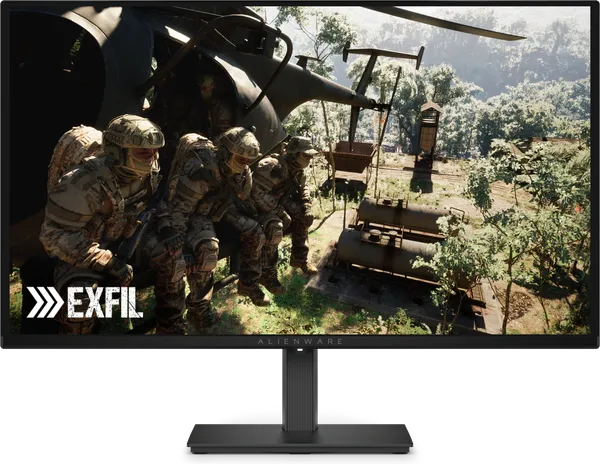
| Alienware AW2726DM | Value | QD-OLED | 2560 x 1440, 240Hz | $349.99 (Newegg, Best Buy, via Tom's Hardware, Nov 9, 2026) |
| MSI MPG 341CQR QD-OLED X36 | Ultrawide | 5th gen tandem QD-OLED, RGB stripe | 3440 x 1440, 360Hz | $899.99 (MSI US store, out of stock Nov 9, 2026) |
The 5 best OLED gaming monitors, one by one
1. ASUS ROG Swift PG32UCDM Gen3: the best 4K 240Hz OLED monitor
Why it made the list: it is the top OLED monitor in RTINGS testing as of October 2026, and Tom's Hardware gave it an Editor's Choice, finding "no real flaws" beyond the lack of speakers. TFTCentral lists it as an upgrade option among 32-inch 4K OLEDs, with a 4th gen QD-OLED panel.
The big change from earlier versions is the BlackShield film. Older QD-OLEDs turn slightly purple-grey in a lit room, and Tom's Hardware found BlackShield makes blacks look deeper under bright room lighting. Tom's measured just over 500 nits SDR from a 25% window with Uniform Brightness off, which is bright for an OLED. It supports Dolby Vision and is DisplayHDR 500 True Black certified.
- Text clarity: about 140 pixels per inch at 31.5 inches, which hides most QD-OLED color fringing at normal viewing distance.
- Coating: BlackShield front film, which ASUS says is also more scratch resistant.
- Ports: DisplayPort 2.1a UHBR20 (80 Gbps), two HDMI 2.1, USB-C with 90W power delivery, USB hub.
- Burn-in warranty: 3 years. ASUS's US warranty FAQ says most ROG OLED monitors carry 36 months including panel burn-in.
- Skip it if: your GPU is below an RTX 5070 Ti, or you only play fast shooters, where a 1440p 480Hz to 540Hz panel is clearer for less money.
See the ASUS ROG Swift OLED PG32UCDM Gen3 ($1,234.05 at the time of writing).
2. ASUS ROG Swift PG27AQWP-W: the fastest 1440p OLED we sell
Why it made the list: TFTCentral's top pick for top-tier 27-inch 1440p in its October 2026 guide. It uses LG Display's 4th gen "Primary RGB Tandem" WOLED with four light-emitting layers, running at 540Hz native or 720Hz at 720p in dual mode.
It is very bright for an OLED. TFTCentral measured 381 nits SDR with Uniform Brightness on and 1,801 nits at a 1% HDR window, above the advertised 1,500 nits. Hardware Unboxed measured about 783 nits at a 10% window versus about 550 nits for a 500Hz QD-OLED, and called its TrueBlack Glossy coating the best glossy coating it has tested.
Be realistic about the speed gain. Hardware Unboxed found 540Hz is only about 8% faster than a 500Hz QD-OLED with the same 0.2 to 0.3 ms response times, and the 720p mode looks soft. You buy this for brightness and coating as much as for refresh.
- Text clarity: the new RGWB layout is noticeably sharper than older RWBG WOLEDs, but small fonts still show some artifacts.
- Coating: glossy, 0% haze. Deep blacks in a lit room, mirror-like reflections from windows behind you.
- Ports: DisplayPort 2.1a UHBR20, HDMI 2.1. No USB-C, no KVM.
- Burn-in warranty: 3 years including burn-in, per the ASUS US product page, which listed it at $1,099 on November 9, 2026.
- Skip it if: you need USB-C for a laptop, or you never run games above 280 fps. A cheaper 280Hz tandem WOLED gives similar image quality.
Our price at the time of writing: ASUS ROG Swift PG27AQWP-W at $887.44.
3. ASUS ROG Strix XG32UCWMG: the dual-mode 32-inch 4K pick
Why it made the list: it gives you two monitors in one, 4K at 240Hz for single-player games and 1080p at 480Hz for shooters, and it costs a few hundred dollars less than the flagship 4K QD-OLEDs. Tom's Hardware gave it an Editor's Choice, praising its accurate out-of-box color and very glossy screen.
Tom's Hardware measured 735 nits on a 25% HDR window in Gaming HDR mode, which is unusually bright for a WOLED. The True Black HDR mode peaks around 488 nits.
- Text clarity: about 140 ppi at 4K, so WOLED fringing is minor. It drops a lot in the 1080p mode.
- Coating: very glossy, which Tom's Hardware credits for the clarity and color saturation.
- Ports: DisplayPort 1.4 with DSC (no DP 2.1), two HDMI 2.1, USB-C with DisplayPort, USB hub.
- Burn-in warranty: 3 years under the ASUS ROG OLED policy.
- Skip it if: you want the newest panel. TFTCentral now prefers the XG32UQWMS, which uses a newer LG tandem panel. Check both prices before you buy.
Our price at the time of writing: ASUS ROG Strix XG32UCWMG at $949.05.
4. Alienware AW2726DM: the best value OLED gaming monitor
Why it made the list: Tom's Hardware's best value OLED as of October 2026, and in its review it called the monitor "a price breakthrough for desktop OLED." You get a 27-inch 1440p 240Hz QD-OLED with very low input lag and over 111% DCI-P3 coverage for about $350.
The savings show up in brightness and features. Tom's Hardware measured about 204 nits SDR and about 400 nits HDR peak, well below the other picks. There is no sRGB mode, no USB and no black frame insertion.
- Text clarity: about 111 ppi with a QD-OLED layout, so expect mild color fringing on fine text.
- Coating: glossy and quite reflective, per Engadget.
- Ports: DisplayPort 1.4 with DSC (needed for 240Hz), two HDMI 2.1 limited to 120Hz, headphone jack. No USB-C.
- Burn-in warranty: 3 years including burn-in.
- Skip it if: your desk faces a sunny window or you work in bright spreadsheets all day.
Our price at the time of writing: Alienware AW2726DM at $331.55.
5. MSI MPG 341CQR QD-OLED X36: the best ultrawide
Why it made the list: TFTCentral's top 34-inch ultrawide, and KitGuru scored it 9/10, calling it "the best ultrawide OLED we have tested to date." It uses Samsung's 5th gen tandem QD-OLED with an RGB stripe layout, which MSI lists as a 5-layer stack.
The RGB stripe fixes the old QD-OLED text problem. KitGuru said fringing is "no longer a factor to consider." It measured 321 nits full-screen SDR and just over 1,300 nits at 1% to 2% windows in the Peak 1300 HDR mode. KitGuru also noted black levels under room light are still slightly raised compared with ASUS's TrueBlack glossy panels.
- Coating: glossy with MSI's DarkArmor film.
- Ports: DisplayPort 2.1a at UHBR13.5 (not UHBR20, but enough for 3440 x 1440 at 360Hz), two HDMI 2.1, USB-C with 98W power delivery, KVM.
- Burn-in warranty: 3 years including burn-in, per MSI's store page.
- Price: MSI's US store listed it at $899.99 on November 9, 2026, but out of stock. KitGuru reviewed it at a $1,099 MSRP.
- Skip it if: you play many games without ultrawide support, or you want 4K-level sharpness (about 110 ppi here).
We don't stock the MSI MPG 341CQR. For a 34-inch ultrawide OLED we carry the ASUS ROG Swift OLED PG34WCDN, a 360Hz QD-OLED with a 3-year burn-in warranty.
How do the five compare side by side?
Brightness figures below come from different labs with different methods, so compare within a column only loosely. "SDR" is full or near full screen, "HDR" is the highest small-window figure the named lab reported.
| Spec | PG32UCDM Gen3 | PG27AQWP-W | XG32UCWMG | AW2726DM | MPG 341CQR X36 |
|---|---|---|---|---|---|
| Panel | QD-OLED, 4th gen | Tandem WOLED, 4th gen | WOLED | QD-OLED | Tandem QD-OLED, 5th gen |
| Subpixel layout | QD-OLED | RGWB | WOLED | QD-OLED | RGB stripe |
| Size, resolution | 31.5 in, 4K | 26.5 in, 1440p | 31.5 in, 4K | 26.5 in, 1440p | 34 in, 3440 x 1440 |
| Max refresh | 240Hz | 540Hz (720Hz at 720p) | 240Hz (480Hz at 1080p) | 240Hz | 360Hz |
| Measured SDR | 500+ nits, 25% window (Tom's) | 381 nits (TFTCentral) | Not published | about 204 nits (Tom's) | 321 nits (KitGuru) |
| Measured HDR | Not published | 1,801 nits at 1% (TFTCentral) | 735 nits at 25% (Tom's) | about 400 nits (Tom's) | about 1,300 nits at 1% to 2% (KitGuru) |
| Coating | BlackShield film | Glossy | Glossy | Glossy | Glossy, DarkArmor |
| DisplayPort | 2.1a UHBR20 | 2.1a UHBR20 | 1.4 DSC | 1.4 DSC | 2.1a UHBR13.5 |
| USB-C power | 90W | None | USB-C video | None | 98W |
| Burn-in warranty | 3 years | 3 years | 3 years | 3 years | 3 years |
| Our price at the time of writing | $1,234.05 | $887.44 | $949.05 | $331.55 | Not stocked |
QD-OLED vs WOLED: which panel type is better in 2026?
The gap has narrowed so much that the coating and the specific model now matter more than the panel family. The two still have different habits.
- WOLED (LG Display) adds a white subpixel. The 2025 to 2026 tandem panels are the brightest OLEDs at small windows: Hardware Unboxed measured the PG27AQWP-W at least 25% brighter than a 500Hz QD-OLED at a 2% window. Paired with a glossy coating, WOLED also keeps blacks deeper in a lit room.
- QD-OLED (Samsung Display) uses quantum dots and no white subpixel, so colors stay more saturated at high brightness. The weakness has been raised, slightly purple blacks under room light and pink and green text fringing from the triangular layout.
- What changed in 2026: Samsung's 5th gen tandem QD-OLED moved to an RGB stripe, which KitGuru found removes the text problem, and ASUS's BlackShield and MSI's DarkArmor films reduce the raised-black effect. LG's 4th gen moved to RGWB, which TFTCentral found noticeably sharper than the old RWBG layout.
Our rule of thumb: bright room or lots of text work, lean WOLED with a glossy coating or a 5th gen RGB stripe QD-OLED. Dark room and color-rich single-player games, any current QD-OLED is excellent.
Will an OLED gaming monitor burn in, and how do you avoid it?
Yes, eventually, under the wrong use. RTINGS ran three OLED monitors (LG 27GR95QE-B, Alienware AW3423DWF and Samsung Odyssey OLED G8) on a 24/7 CNN livestream at maximum brightness, simulating about 10 years of average use. After 24 months, all three showed burn-in where the news ticker sits, and the LG WOLED was the worst, with the outline of a presenter visible. All three still worked and held close to their day-one brightness.
That test is a worst case. Normal gaming with moving images is far gentler, but a static taskbar, HUD or browser tab for 8 hours a day is not. These habits reduce the risk:
- Leave the pixel refresh routine enabled and let it run when the monitor asks, usually after a few hours of use.
- Auto-hide the taskbar, use a dark theme and a blank or slideshow screensaver after 5 minutes.
- Run SDR desktop brightness at a comfortable level, not 100%. Wear scales with brightness.
- Keep features like logo dimming, pixel shift and proximity sensors on. ASUS, MSI and Dell all ship them.
- Keep your receipt. All five picks have 3-year warranties covering burn-in, and that coverage is the main reason we would not buy an OLED without it.
If your day job means 10 hours of static spreadsheets, an IPS or Mini LED monitor for work plus an OLED for play is safer.
Which GPU do you need for 4K 240Hz?
No graphics card renders modern AAA games at 4K 240 fps natively. In the Tom's Hardware GPU hierarchy (updated June 2026, native, no upscaling), even the RTX 5090 averages 110.8 fps at 4K ultra.
| GPU | 4K ultra raster (avg fps) | 4K ultra ray tracing (avg fps) | Our price at the time of writing |
|---|---|---|---|
| RTX 5090 | 110.8 | 64.1 | $4,440.44 |
| RTX 5080 | 77.4 | 42.1 | $1,331.56 |
| RTX 5070 Ti | 68.6 | 36.7 | $911.66 |
| RX 9070 XT | 65.8 | 30.1 | $759.05 |
| RX 9070 | 57.7 | 25.8 | $664.05 |
| RTX 5070 | 54.3 | 22.7 | $787.55 |
The gap to 240Hz is closed with upscaling and frame generation. NVIDIA's DLSS 4.5 update (March 31, 2026) added Dynamic Multi Frame Generation, which adjusts the multiplier to hit your refresh rate, and a 6X mode on RTX 50 cards in supported games. Frame generation raises smoothness, not responsiveness, so you want at least 60 to 80 real fps underneath.
- RTX 5090: the only card that pairs comfortably with a 4K 240Hz OLED in path-traced games.
- RTX 5080: the practical choice for 4K 240Hz with DLSS. Our RTX 5090 vs 5080 vs 5070 Ti guide covers the trade-offs.
- RTX 5070 Ti or RX 9070 XT: the floor for a 4K OLED. Expect well under 240 fps in demanding games, even with upscaling, unless you add frame generation.
- For 1440p 480Hz to 540Hz: esports titles are mostly CPU-bound. An RTX 5070 or RX 9070 with a fast CPU is enough for Valorant or Counter-Strike 2.
Browse all graphics cards, or pick a complete gaming PC such as the Slate RTX 5080 gaming PC.
Which OLED monitors just missed the list?
- ASUS ROG Swift OLED PG27UCDM: TFTCentral's top 27-inch 4K 240Hz pick, with about 166 ppi for very sharp text.
- ASUS ROG Strix OLED XG32UQWMS: TFTCentral's current top 32-inch pick, an improved XG32UCWMG on a newer tandem WOLED panel.
- LG UltraGear 45GX950A: Tom's Hardware's best ultrawide, 5120 x 2160 at 165Hz, but it is huge and Tom's measured only 475 nits HDR against a 1,300 nit claim.
- Gigabyte MO27Q28GR: TFTCentral's mid-tier 27-inch pick, a 280Hz tandem WOLED with USB-C and KVM. We stock the Gigabyte MO27Q28GR at $442.70.
- MSI MAG 27-inch QD-OLED 360Hz: a step up from the AW2726DM in refresh rate. We stock the MSI MAG 27-inch QD-OLED 360Hz at $664.99.
What we'd buy
- Best overall, 4K single-player and mixed use: ASUS ROG Swift OLED PG32UCDM Gen3 with an RTX 5080 or better.
- Competitive shooters: ASUS ROG Swift PG27AQWP-W.
- One 32-inch screen for both 4K and esports: ASUS ROG Strix XG32UCWMG.
- Tight budget or first OLED: Alienware AW2726DM.
- Racing, flight sims and work with a laptop over USB-C: MSI MPG 341CQR QD-OLED X36 (or the ASUS PG34WCDN we stock).
- Every order ships insured in an unbranded box, free on orders of $999 or more. Details are on our shipping page.
Questions and answers
Is QD-OLED or WOLED better for gaming?
Both are excellent in 2026. Tandem WOLED panels such as the PG27AQWP-W are brighter at small windows and keep blacks deeper in lit rooms with a glossy coating, while QD-OLED keeps colors more saturated. Samsung's 5th gen QD-OLED now uses an RGB stripe that KitGuru found removes text fringing.
How long does an OLED gaming monitor last?
Most buyers will get many years of use, but burn-in builds up with static content. RTINGS saw visible burn-in on all three OLED monitors after 24 months of a worst-case 24/7 news feed at full brightness, while all three still worked. All five monitors in our list carry a 3-year warranty that covers burn-in.
Is a 540Hz OLED worth it over a 240Hz OLED?
Only if you play fast competitive shooters at very high frame rates. Hardware Unboxed found the 540Hz PG27AQWP-W only about 8% faster than a 500Hz QD-OLED, so most of the benefit comes from moving up from 240Hz, not from 500Hz to 540Hz. For single-player games, a 4K 240Hz panel is the better use of the money.
Can I use an OLED monitor for office work?
Yes, with care. Current panels with RGB stripe or RGWB layouts show much less text fringing, and a 4K 32-inch screen is about 140 pixels per inch. Auto-hide the taskbar, use a dark theme and keep pixel refresh enabled to limit burn-in from static windows.
Do I need DisplayPort 2.1 for a 4K 240Hz OLED?
No. Monitors like the XG32UCWMG reach 4K 240Hz over DisplayPort 1.4 with Display Stream Compression, and TFTCentral confirmed the PG27AQWP-W reaches full spec over DP 1.4 with DSC. DisplayPort 2.1 UHBR20, with 80 Gbps, gives enough bandwidth to drop compression on GPUs that support it, such as the RTX 50 series.
Sources
- The best OLED monitorsRTINGS
- Best OLED Gaming Monitors 2026Tom's Hardware
- The Best OLED Gaming Monitors to Buy in 2026TFTCentral
- Asus ROG Swift PG32UCDM3 240 Hz QD-OLED gaming monitor reviewTom's Hardware
- Asus ROG Swift PG27AQWP-W reviewTFTCentral
- Asus ROG Swift PG27AQWP-W reviewTechSpot (Hardware Unboxed)
- ROG Swift OLED PG27AQWP-W where to buyASUS
- Asus ROG Strix XG32UCWMG 4K OLED gaming monitor reviewTom's Hardware
- Alienware AW2726DM 27-inch QHD 240 Hz QD-OLED gaming monitor reviewTom's Hardware
- Alienware 27 (AW2726DM) QD-OLED monitor reviewEngadget
- MSI MPG 341CQR QD-OLED X36 reviewKitGuru
- MPG 341CQR QD-OLED X36MSI
- ASUS OLED Monitor Warranty Period and PolicyASUS
- Large-scale simulated 10-year torture test confirms burn-in haunts all OLED monitorsTom's Hardware
- GPU Benchmarks HierarchyTom's Hardware
- DLSS 4.5 Dynamic Multi Frame Generation and 6X mode releasedNVIDIA
Prices, fees and specifications were checked on November 9, 2026 and change over time. Product prices are ours at the time of writing.