What RAM to buy in 2026 (during the memory shortage)
For most gaming PCs in 2026, buy a 32GB (2x16GB) DDR5-6000 CL30 kit; go to 64GB for video editing and 96GB to 128GB in two sticks only for local AI. Prices remain roughly three to five times mid-2025 levels, and analysts do not expect relief before late 2027.

Key takeaways
- TrendForce forecast that conventional DRAM contract prices would rise 90% to 95% quarter over quarter in 1Q26, with PC DRAM up more than 100%.
- Tom's Hardware's RAM price index listed the cheapest 32GB DDR5-6000 kit at $459 and the cheapest 64GB DDR5-6000 kit at $989 in the US on 3 November 2026.
- PCPartPicker data showed 64GB DDR5-6000 kits averaging $200 to $250 in early to mid 2025 and over $1,250 by August 2026.
- AMD rates the Ryzen 7 9800X3D at DDR5-5600 with two memory modules but only DDR5-3600 with four, so two-stick kits are the safer choice.
- Counterpoint Research said new memory supply will not be meaningful before the second half of 2027, and TrendForce still expects 10% to 15% contract price increases in 4Q26.
If you are deciding what RAM to buy in 2026, get a 32GB (2x16GB) DDR5-6000 CL30 kit for a gaming PC, 64GB (2x32GB) for video editing or heavy multitasking, and 96GB or 128GB in two sticks only if you run local AI models. Prices are still roughly three to five times what they were in mid-2025, because memory makers moved their capacity to AI servers. Analysts do not expect real relief before late 2027. So buy the capacity you need now, in a two-stick kit, and do not pay extra for speeds above DDR5-6000.
Below: why memory got so expensive, what kits cost then and now, how much you need, and our picks from the memory collection.
Why are RAM prices so high in 2026?
The short answer is AI data centers. The three big DRAM makers (Samsung, SK hynix and Micron) shifted wafers and advanced process capacity to HBM for AI accelerators and to high-capacity server DRAM. In September 2025, TrendForce wrote that suppliers were moving capacity to HBM and server DRAM, "crowding out capacity for PC, mobile, and consumer applications". Desktop DDR5 is made on the same lines, so it lost out.
DDR4 got hit first. Samsung, Micron and SK hynix all announced DDR4 end-of-life plans in 2025, with final shipments scheduled between mid-December 2025 and April 2026, according to TrendForce. TrendForce later reported that consumer DDR4 prices nearly doubled in the third quarter of 2025, and DDR5 followed a few months later.
Then Micron left the retail market. On 3 December 2025, Micron said it would stop shipping Crucial-branded consumer memory and SSDs after its fiscal second quarter (late February 2026) to focus on AI and enterprise customers. Chief business officer Sumit Sadana said "the AI-driven growth in the data center has led to a surge in demand for memory and storage". Crucial warranties are still honored, but one of the cheapest DDR5 brands is gone from new stock.
Contract prices (what PC makers and module brands pay memory makers each quarter) show how fast it moved. These are TrendForce forecasts for quarter-over-quarter changes:
| Quarter | TrendForce forecast | Published |
|---|---|---|
| 4Q25 | Conventional DRAM up 8% to 13% (13% to 18% including HBM) | 24 September 2025 |
| 1Q26 | Conventional DRAM up 90% to 95% (raised from 55% to 60%); PC DRAM up more than 100%; server DRAM up about 90% | 2 February 2026 |
| 2Q26 | Conventional DRAM up 58% to 63% | reported 1 April 2026 |
| 4Q26 | Conventional DRAM up 10% to 15% | 30 September 2026 |
The pattern matters for buyers: prices are still rising, but the pace has slowed sharply since the first half of 2026. TrendForce's 30 September report says PC makers keep buying aggressively because they expect supply to stay tight in 2027.
RAM prices 2026: what kits cost before and now
Retail prices swing week to week, so treat every number below as a dated snapshot. Trackers also measure different things (lowest price versus average), so they do not always agree.
| Kit | Before the shortage | During the spike | Lowest US price, 3 Nov 2026 |
|---|---|---|---|
| 16GB (2x8GB) DDR5-6000 | Not tracked in our sources | Not tracked in our sources | $249 |
| 32GB (2x16GB) DDR5-6000 | $100 to $200 (Oct 2025) | $270 to $281 (Nov 2025); $359.99 cheapest (Mar 2026) | $459 |
| 64GB (2x32GB) DDR5-6000 | $200 to $250 average (early to mid 2025) | Over $1,000 average (early 2026); over $1,250 average (Aug 2026) | $989 |
| 96GB DDR5-6000 | n/a | n/a | $2,049 |
| 128GB DDR5-6400 | n/a | n/a | $2,599 |
| 32GB (2x16GB) DDR4-3200 | $60 to $90 (Oct 2025) | $150 to $180 (Jan 2026) | $209 |
Sources: current prices and the October 2025 and January 2026 figures are from Tom's Hardware's RAM price index, updated 3 November 2026. The November 2025 and March 2026 figures for 32GB come from Tom's Hardware's 11 March 2026 report. The 64GB averages are PCPartPicker data reported by GameGPU on 16 August 2026.
Two things stand out. First, 64GB kits have come down a little from their summer average, while 32GB kits have not. Second, Tom's Hardware's own text says 32GB kits "start at around $350, if in stock", while its table lists $459 as the best current price, so expect to see both numbers depending on the day.
Is 32GB enough in 2026?
Yes, for gaming, 32GB is enough, and 16GB still works if your PC does nothing else while you play. The best recent test we found is PC Gamer's April 2026 comparison of 16GB and 32GB of DDR5-6000 CL30 on a Ryzen 9 9900X with an RTX 5090 and an RTX 5070.
- Cyberpunk 2077, Kingdom Come: Deliverance 2, Black Myth: Wukong and Hogwarts Legacy showed no meaningful difference.
- With the 12GB RTX 5070, 1% lows were about 11% higher in Stalker 2 and about 34% higher in Escape from Tarkov with 32GB.
- Microsoft Flight Simulator 2024 stuttered on takeoff and landing with 16GB, and Star Citizen showed a low-memory warning.
- At 16GB, only 2GB to 5GB was left for a browser, Discord or a stream encoder.
Most current games still list 16GB as the minimum. The exceptions are simulators and large online games: the Tarkov developers recommend 64GB, per the same PC Gamer article. Note the interaction with VRAM: a graphics card with 8GB or 12GB of VRAM spills more data into system RAM, so a cheaper GPU makes 32GB more important, not less.
| What you do | Works | What we recommend |
|---|---|---|
| Gaming at 1080p or 1440p, little running in the background | 16GB | 32GB |
| Gaming while streaming, Discord and a browser open | 32GB | 32GB, or 48GB if you also record locally |
| Flight sims, Tarkov, Star Citizen, heavy modding | 32GB | 64GB |
| 4K video editing, large Photoshop or 3D files | 32GB | 64GB |
| Local AI models partly or fully on the CPU | 64GB | 96GB to 128GB |
For creative work, Adobe lists 16GB for HD media in Premiere and "32 GB or more" for 4K and higher. In practice, 64GB is where long 4K timelines, After Effects previews and a browser full of references stop fighting each other.
Local AI is where capacity matters most. A model's weights have to sit somewhere: as a rough rule, a 4-bit quantized model needs a little over half a gigabyte per billion parameters, so a 70B-class model needs about 40GB before the context window. If it does not fit in VRAM, the rest goes into system RAM, which is why 96GB and 128GB kits sell to AI hobbyists. Our guide to how much VRAM you need for local LLMs covers the GPU side, and machines with large unified memory such as the Framework Desktop with 128GB are an alternative to filling a desktop with DDR5.
Which RAM speed and timings actually matter?
AMD AM5: DDR5-6000 CL30 is still the sweet spot
On Ryzen 7000 and 9000, the memory controller runs in sync with the memory (1:1 mode) up to DDR5-6000 by default and drops to 1:2 above that, which adds latency. TechPowerUp's Zen 5 memory scaling review found DDR5-8000 was the fastest for gaming by only a "wafer thin margin", while DDR5-6000 delivered the lowest first-word latency of the kits tested. Its buying recommendation is DDR5-6000, ideally CL30.
Tighter timings help, but if a big jump in speed buys only a thin gaming margin, the step from CL30 to CL36 at the same speed is smaller still. When the price difference is large, as it often is now, a CL36 or CL38 kit is a reasonable way to save money. A slower DDR5-5200 or 5600 kit is the one to avoid on a gaming build, since TechPowerUp measured those speeds falling behind.
Intel Core Ultra 200S (Arrow Lake) and CUDIMM
Arrow Lake officially supports standard DIMMs at DDR5-5600 and CUDIMMs at DDR5-6400. CUDIMMs add a clock driver chip on the module that keeps signals clean at high speeds. Intel's Arrow Lake Refresh raises the native CUDIMM speed to DDR5-7200 with one module per channel, per Tom's Hardware's reading of Intel's datasheet. The same report notes that Ryzen 9000 accepts CUDIMMs but runs them in bypass mode, so CUDIMMs bring nothing on AM5.
For most Intel gamers, a normal DDR5-6000 kit with XMP enabled is the value choice. CUDIMMs at 8000 and above make sense only on a high-end Z890 build where you are already spending on the fastest everything.
EXPO and XMP: turn them on
Every DDR5 kit boots at a slow JEDEC default, usually DDR5-4800 or 5600. To get the speed on the box, enable the kit's profile in the BIOS: EXPO on AMD or XMP on Intel. Many kits carry both. A kit with only XMP usually still works on AM5, but an EXPO kit is the safer bet for a Ryzen build.
Two sticks or four?
Use two sticks. AMD's own spec for the Ryzen 7 9800X3D lists DDR5-5600 for two modules but only DDR5-3600 for four, and Intel's official speeds with two modules per channel, per the datasheet figures above, are DDR5-4800 (single-rank) and 4400 (dual-rank). Four sticks often run faster than that with tuning, but it is not guaranteed.
That is why non-binary kits matter. A 2x24GB kit gives you 48GB, 2x48GB gives you 96GB, and 2x64GB gives you 128GB, all on two sticks. If you plan to grow later, buy the larger kit now rather than adding a second pair, which may not match and will lower your speed.
What about DDR4 platforms and laptop RAM?
DDR4 is no longer cheap. A 32GB DDR4-3200 kit went from $60 to $90 in October 2025 to $209 on 3 November 2026, per the Tom's Hardware index. If you own an AM4 or a 12th to 14th gen Intel board with DDR4, upgrading from 16GB to 32GB is still the cheapest way to fix stutter. But do not build a new DDR4 system to save money: production has ended, and the savings over DDR5 are smaller than they were.
Laptops come in three types. Some use SO-DIMM slots, where a 2x16GB DDR5-5600 kit is the common upgrade. Some newer models use CAMM2 or CSODIMM modules. Many thin laptops have soldered LPDDR5X memory that cannot be upgraded at all, so check your model's manual before you buy anything.
Should you buy RAM now or wait for prices to drop?
If you need the PC now, buy now. Every forecast we found points to high prices through 2027:
- TrendForce expects conventional DRAM contract prices to rise another 10% to 15% in 4Q26, with PC makers buying ahead because supply should stay tight in 2027 (30 September 2026).
- Counterpoint Research said new supply "won't be meaningful before the second half of 2027", and its analyst Min-sung Hwang said "there is no scenario where memory prices correct in the second half" of 2027.
Forecasts at this range are often wrong, and retail prices can dip for a few weeks at a time, as 64GB kits have since August. But nothing credible points to a return to 2025 prices in the next year. Waiting six months is a bet that contract prices will fall faster than every analyst expects.
What we suggest instead: buy the capacity you will need for the life of the PC, in two sticks, at DDR5-6000. Skip RGB and premium speeds, which add cost but no meaningful frame rate. If 32GB is a stretch, 16GB is a workable stopgap for pure gaming, but upgrading later means buying a whole new pair.
How do you avoid fake or relabeled RAM kits?
High prices brought counterfeits. In May 2026, a buyer in Japan found DDR5 SO-DIMMs with a Samsung label, SK hynix chip markings and memory packages that contained no silicon at all, only plastic. Here is how to protect yourself:
- Be suspicious of any 32GB DDR5 kit far below the current $350 to $460 market range. A deal that cheap is almost never real right now.
- Avoid "untested" or "no returns" listings on marketplaces and auction sites.
- Check the box seal and the label on each stick. The part number on the module should match the box and the maker's site.
- Look at the chip markings on SO-DIMMs, where chips are exposed. A label brand that does not match the chip brand is a red flag.
- Record the unboxing, then check the kit in the BIOS and with a tool like CPU-Z (part number, capacity, speed) and run a memory test before your return window closes.
What RAM to buy: our picks by budget and use
These are the two-stick kits from our catalog we would buy in November 2026.
| Use | Kit | Why | Our price at the time of writing |
|---|---|---|---|
| Tight-budget gaming | Patriot Viper Venom DDR5 16GB (2x8GB) 6000 CL36 | Enough for gaming alone; plan to replace it later | $255.55 |
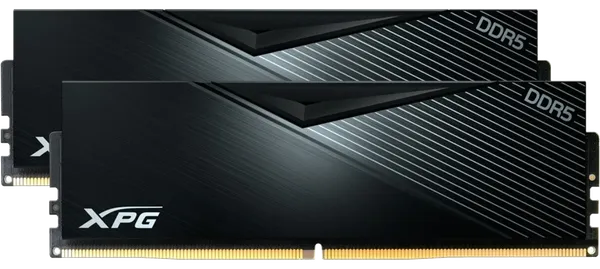
| Best value 32GB | XPG Lancer DDR5 32GB (2x16GB) 6000 CL30 | The sweet-spot spec at a lower price than most CL30 kits | $483.55 |
| Cheapest 32GB | TeamGroup T-Force Vulcan DDR5 32GB (2x16GB) 6000 CL38 | Looser timings, small real-world cost in games | $464.55 |
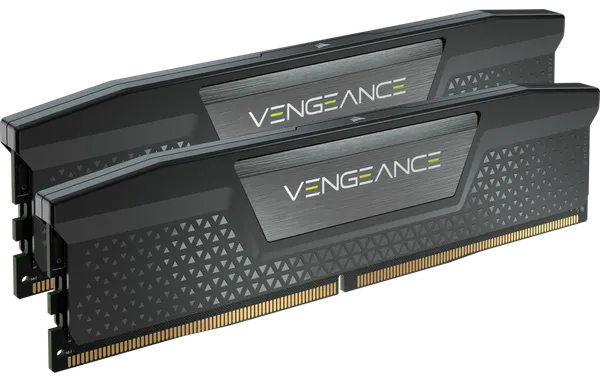
| Mainstream gaming | Corsair Vengeance DDR5 32GB (2x16GB) 6000 CL30 | The sweet-spot spec with no RGB, from a brand with wide motherboard support lists | $569.05 |
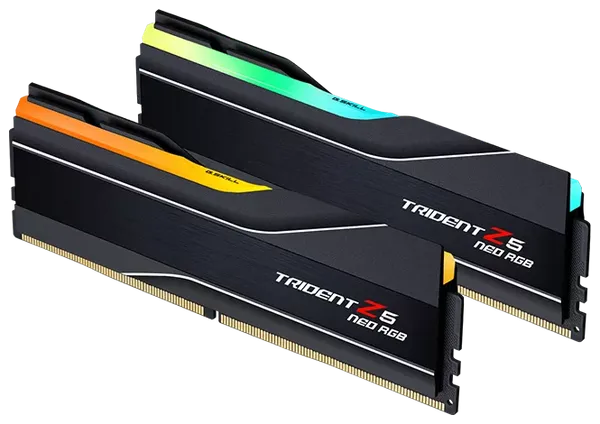
| Gaming plus streaming | G.Skill Trident Z5 Neo RGB DDR5 48GB (2x24GB) 6000 CL40 | 16GB of headroom over 32GB without going to four sticks | $711.55 |
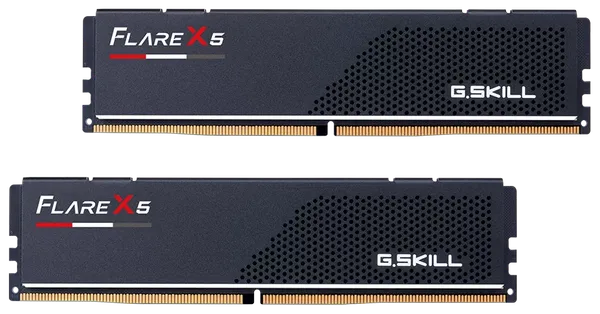
| Creators, sims | G.Skill Flare X5 DDR5 64GB (2x32GB) 6000 CL36 | The cheapest 64GB at DDR5-6000 we stock | $1,044.05 |
| Fastest 64GB | Kingston Fury Beast RGB DDR5 64GB (2x32GB) 6000 CL30 | CL30 at 64GB, for builds that game and edit | $1,329.05 |
| Local AI | G.Skill Trident Z5 Neo RGB DDR5 96GB (2x48GB) 5600 CL40 | 96GB on two sticks; capacity matters more than speed here | $1,471.55 |
| Large local AI models | G.Skill Trident Z5 Neo RGB DDR5 128GB (2x64GB) 6000 CL34 | 128GB on two sticks at full speed; check your board's BIOS supports 64GB modules | $3,704.05 |
| DDR4 upgrade | Corsair Vengeance LPX DDR4 32GB (2x16GB) 3200 CL16 | The standard upgrade for an AM4 or older Intel PC | $303.05 |
| Laptop | Corsair Vengeance DDR5 SO-DIMM 32GB (2x16GB) 5600 CL48 | For laptops with two DDR5 SO-DIMM slots | $493.05 |
Who should skip what: the TeamGroup T-Force Delta RGB 64GB DDR5-5200 is cheaper per gigabyte, but at 5200 CL40 it is a workstation kit, not a gaming one. If you would rather not choose parts at all, see our gaming PCs, and our guide to buying a gaming PC with crypto walks through the order.
What we'd buy
- Most gamers: Corsair Vengeance DDR5 32GB 6000 CL30, or the XPG Lancer 32GB CL30 to save money.
- Gamers who stream or play simulators: the G.Skill 48GB (2x24GB) kit.
- Video editors and 3D artists: G.Skill Flare X5 64GB 6000 CL36.
- Local AI on a desktop: 96GB (2x48GB) or 128GB (2x64GB), paired with a GPU from our graphics card range.
- DDR4 owners: Corsair Vengeance LPX DDR4 32GB 3200 CL16, and save the platform upgrade for when prices ease.
- Every order ships insured in an unbranded box, free on orders of $999 or more. See shipping for details.
Questions and answers
Is 16GB of RAM still enough for gaming in 2026?
For most games, yes, if nothing else is running. PC Gamer's April 2026 test found no meaningful difference between 16GB and 32GB in games like Cyberpunk 2077, but Escape from Tarkov's 1% lows were about 34% higher with 32GB on a 12GB graphics card.
Will RAM prices go down in 2027?
Probably not by much. Counterpoint Research says new supply will not be meaningful before the second half of 2027, and TrendForce reports PC makers are buying ahead because they expect supply to stay tight through 2027.
Is DDR5-6000 or DDR5-6400 better for Ryzen 9000?
DDR5-6000 CL30 is the safe sweet spot because the memory controller runs 1:1 with the memory by default up to that speed. DDR5-6400 can be slightly faster if your CPU holds 1:1 mode, but that depends on the individual chip and may need extra voltage.
Can I mix two RAM kits to get 64GB?
You can, but it is not recommended. Four DDR5 sticks drop AMD's rated speed from DDR5-5600 to DDR5-3600, and two separate kits are not guaranteed to work together, so a single 2x32GB kit is the better buy.
Do I need CUDIMM memory for Intel Core Ultra?
No. Intel Core Ultra 200S supports standard DIMMs at DDR5-5600 and CUDIMMs at DDR5-6400, and a normal DDR5-6000 kit with XMP works well for gaming. CUDIMMs only pay off on high-end builds aiming for DDR5-8000 and above.
Sources
- DRAM Prices to Continue Rising in 4Q25; Server Demand Surges Ahead While Legacy Process Products See Steeper IncreasesTrendForce via I-Connect007
- DDR4 Exit Timeline Unfolds for Top Memory Makers: Plans for Samsung, SK hynix and MicronTrendForce
- Micron is killing Crucial SSDs and memory in AI pivotTom's Hardware
- Memory Price Outlook for 1Q26 Sharply Upgraded; QoQ Increases of All Product Categories to Hit Record HighsTrendForce
- DRAM and NAND contract prices to climb again in Q2Tom's Hardware
- AI Server Demand Sustains Memory Contract Price Increases in 4Q26, While Consumer-Side Pressure PersistsTrendForce
- RAM price index 2026: lowest price on DDR5 and DDR4 memory of all capacitiesTom's Hardware
- US RAM crisis hits boiling point as AI mania wipes out all 32GB DDR5 kits under $359Tom's Hardware
- DDR5 prices rose over 500% in 18 months and exceeded $1,250 for 64GBGameGPU
- My testing shows that 16 GB of system memory is still absolutely fine for today's PC games, but there are some caveatsPC Gamer
- Adobe Premiere technical requirementsAdobe
- DDR5 Memory Performance Scaling with AMD Zen 5TechPowerUp
- Intel Arrow Lake Refresh CPUs arrive with native DDR5-7200 CUDIMM supportTom's Hardware
- AMD Ryzen 7 9800X3D specificationsAMD
- 'There is no scenario where memory prices correct in the second half' of 2027, according to new market researchPC Gamer
- Fake DDR5 sticks with dummy plastic chips are the latest RAM scamTechSpot
Prices, fees and specifications were checked on November 9, 2026 and change over time. Product prices are ours at the time of writing.